How to Write AI Prompts That Get Better Results: A Beginner's Guide
By Imran Arshad · Published · 6 min read
Key Takeaways
- AI results depend on the clarity of your instructions, not just the AI model you use.
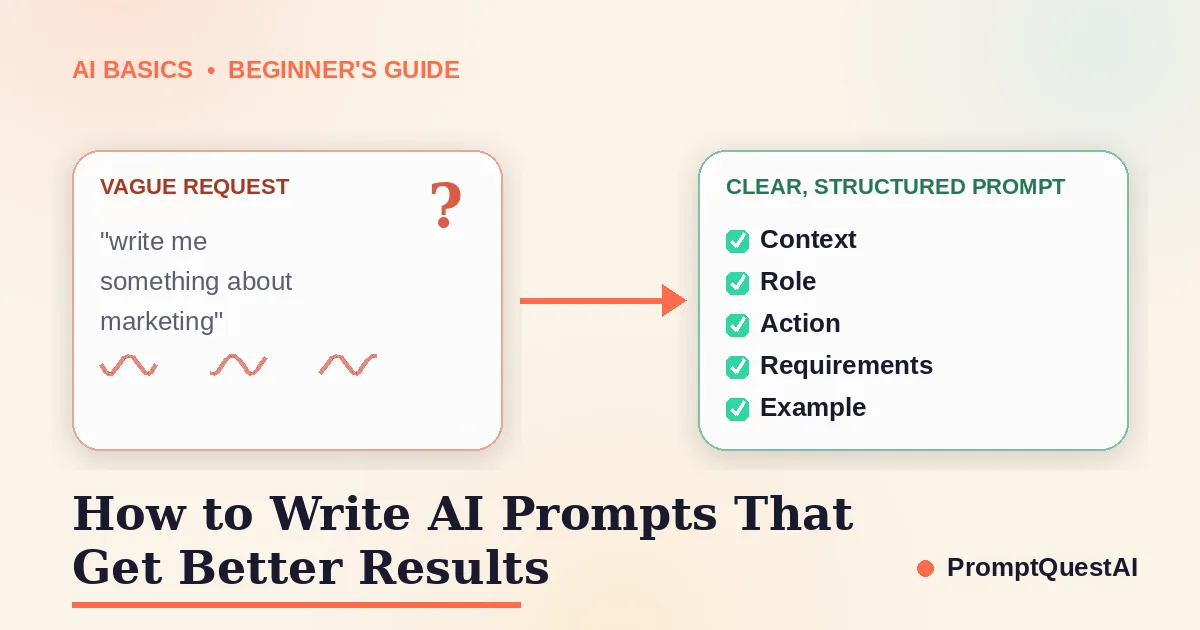
- A good prompt usually needs five things: context, role, action, requirements and an example.
- Vague prompts force the AI to guess — the more it has to guess, the more generic the result.
- Beginners don't need prompt-engineering experience, just a simple structure to follow.
- Reviewing and iterating on a response is faster than trying to get one perfect prompt first time.
AI prompt definition: An AI prompt is an instruction, question or piece of context that tells an artificial intelligence system what response or action you want.
Most people's first experience with AI is the same: you type a quick, vague request, get back something generic, and conclude the tool "isn't very good." In almost every case, the tool isn't the problem. The instruction is.
AI systems like ChatGPT, Claude and Gemini cannot read your mind, guess your industry, or infer the tone you had in mind. They can only work with what you actually give them. A short, vague prompt gets a short, vague answer. A clear, structured prompt gets a clear, useful one.
This guide walks through a simple five-part framework for writing better prompts, shows a complete before-and-after example, and covers the mistakes that quietly ruin most people's results.
What Is an AI Prompt?
An AI prompt is the instruction or information supplied to an artificial intelligence system. The prompt guides what the system should do, what context it should consider, and how the final response should be presented. Nothing more is required for a tool to respond — but a prompt with almost no information is also the single biggest reason people end up with generic, unusable output.
Think of a prompt the way you'd think of a brief to a freelancer you've never worked with before. They can produce something from "write me a marketing email." They'll produce something far more useful from a proper brief: who it's for, what the product does, what tone to use, and how long it should be.
Why Vague Prompts Produce Weak Results
AI models are prediction engines. Given an unclear instruction, they don't ask for clarification by default — they make a reasonable guess and fill in every gap themselves. The more gaps you leave, the more the AI has to guess, and the more likely its guesses miss what you actually needed.
A prompt like "write me something about marketing" leaves almost everything open: what type of marketing, for what business, in what tone, how long, and for what purpose. The AI has no choice but to default to the most generic, average version it can produce — because that's the safest guess when nothing else is specified.
The fix isn't a "magic phrase" or a trick. It's simply giving the AI the same information you'd give a competent person doing the task for the first time.
The C.L.A.R.E. Prompt Framework
A good AI prompt usually includes five elements. The prompt does not need to be long, but it should contain enough relevant information to reduce unnecessary assumptions. A simple way to remember them is the acronym C.L.A.R.E.
- Context — What's the situation? What business, project or audience is this for?
- Level (role/audience) — Who should the AI act as, and who is the response actually for? A beginner needs different language than an expert.
- Action — What exactly should the AI do? Write, summarise, compare, rewrite, plan?
- Requirements — What tone, length, format or constraints must the output follow?
- Example — Is there a sample, reference, or "avoid this" example that would remove ambiguity?
You don't need every element in every prompt. Short, everyday requests are fine as they are. But for anything you'll actually use — a client email, a product description, a piece of content — running through these five points takes under a minute and consistently produces a far more usable first draft.
A Complete AI Prompt Example
Here's the difference in practice.
Weak prompt:
"Write a marketing email."
Strong prompt, using C.L.A.R.E.:
"You're a marketing copywriter for a small independent coffee roastery (Context/Level). Write a promotional email announcing our new single-origin Ethiopian bean, launching this Friday (Action). Keep it under 150 words, warm and conversational in tone, with one clear call to action to shop the new bean before it sells out (Requirements). Here's an example of our usual tone from a past email: 'Good things are worth the wait — and this one definitely was.' (Example)"
The second prompt takes twenty extra seconds to write. It produces a usable first draft instead of something that needs to be rewritten from scratch — because the AI is no longer guessing what "a marketing email" means for this specific business.
Six Quick Tips for Better AI Prompts
- Be specific about the audience. "Explain this to a beginner" and "explain this to a senior engineer" should never get the same answer.
- State the format up front. Bullet points, a table, a short paragraph, a step-by-step list — say which one you want.
- Give a length target. "Keep it under 100 words" avoids a wall of text you'll have to cut down yourself.
- Ask for options when you're unsure. "Give me three different headline options" is often more useful than expecting one perfect answer first try.
- Iterate rather than starting over. If the first response is close but not right, tell the AI exactly what to change instead of rewriting the whole prompt.
- Separate instructions from raw material. If you're pasting in an email, article or data to work from, clearly label where your instruction ends and the reference material begins.
Common Prompt-Writing Mistakes
- Assuming the AI remembers context it was never given. Each new conversation starts from zero unless you restate the relevant background.
- Writing one long run-on sentence. Short, clearly separated instructions are easier for both you and the AI to follow.
- Skipping the output format. Without a specified format, you'll often get more or less text than you actually wanted.
- Accepting the first answer without reviewing it. AI-generated content should always be checked, not published unread.
- Treating one bad response as proof the tool doesn't work. Usually, one more sentence of context would have fixed it.
How PromptQuestAI Helps Beginners
PromptQuestAI is a prompt-optimisation platform that helps users turn rough instructions into clearer, more structured prompts for AI assistants. Instead of manually working through the C.L.A.R.E. framework every time, you can turn rough ideas into structured AI prompts with PromptQuestAI, which fills in the missing context, role and requirements for you.
It's aimed squarely at the situation this guide is about: you have a rough idea of what you want from AI, but not the time or habit of writing it out properly every single time.
Turn a rough idea into a better AI prompt. PromptQuestAI helps beginners add context, structure and clear output requirements without writing every prompt from scratch.
Different AI platforms may handle instructions differently, so it's worth reviewing the official guidance provided by whichever tool you use most.
Build Your Next AI Prompt With Confidence
Enter your rough instruction and transform it into a clearer, more useful prompt with PromptQuestAI.
Frequently Asked Questions
What is an AI prompt?
An AI prompt is an instruction, question or piece of information given to an AI tool to guide the response it produces.
What makes an AI prompt effective?
An effective prompt clearly explains the task, relevant context, intended audience, preferred format and important requirements.
Do beginners need prompt-engineering experience?
No. Beginners can improve their results by using a simple structure and giving the AI clearer instructions.
Can the same prompt work with different AI tools?
Yes. Many structured prompts can work across different AI assistants, although the results may vary between platforms.
Should I trust every AI-generated response?
No. Always review important information and verify facts before using AI-generated content in professional, legal, medical or financial situations.